Sponsored link
CleanTheGameRoom
Player guides

Clean the Game Room Guides

Everything you need to run the sorting loop well: learn it once in the how-to-play guide, then keep the controls page open until pickup, cycle, place, and drop are muscle memory.

The game in one paragraph

A sorting game where the skill is recognition and routing

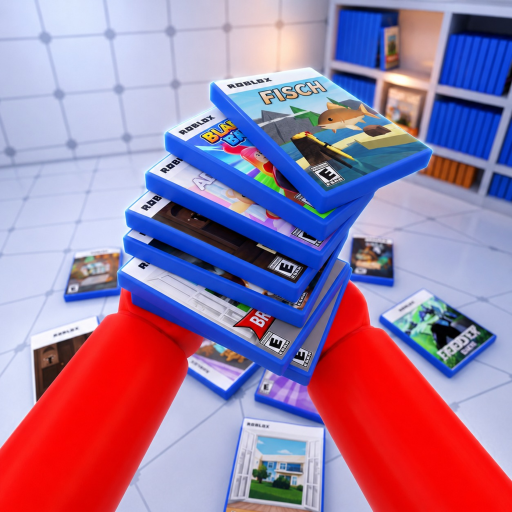
Clean the Game Room scatters boxed game cases across a room and asks you to return each one to the shelf matching its genre — as fast as you can, before the room gets out of hand.

That one sentence is the whole design, straight from the official description. There is no combat, no currency, and no build crafting to optimize; your score is how quickly and correctly the room gets organized. The loop decomposes into three skills: reading a case title and recognizing its genre, knowing the room's shelf layout so the walk between cases and shelves is short, and handling the carry system — you can hold several cases at once, cycle between them, and place or drop the selected one. The guides below cover the loop and the inputs; the game case reference covers the part nobody can fully document yet, because the game has never published its case list.

Guide paths

Pick the page that matches your current problem

Both guides stick to what the official description and Roblox data document — no invented combos, currencies, or tier systems.

What the guides will not tell you

Two honest limits of Clean the Game Room documentation

The game is playable and complete without these, but players search for them constantly.

No case-to-shelf answer sheet exists

Neither the developer nor any public wiki has published the game's case list or which genre accepts which case. Guides that present a complete matching table are guessing. The case reference explains what evidence a real answer needs, and the helper returns a reviewed answer the moment a row clears that bar.

Mobile controls are not published

The official description documents PC and console inputs only. On touch devices the game shows its own on-screen buttons; any written “mobile controls” list you find elsewhere is describing an unverified layout, so trust the buttons rendered in your own session.

Guide questions

How long is a session of Clean the Game Room?

The tracker Rolimons records a 15-minute average playtime (checked 2026-10-03), and the 12-player servers are built for short repeat sessions. Badge milestones at 50 and 100 shelves are where longer-haul players separate from the average.

Is there anything to spend money on?

Yes — ten gamepasses list on the store, from Max Jump (24 Robux) to Unlimited Magic (800 Robux), with carry-capacity and speed upgrades in between. None are required to play; the official loop works with the free kit.

Are there codes for free items?

No. The game has never documented a code system — no redemption UI, no description mention, and no tracker lists it. The codes page shows the dated checks behind that answer.

What should I do when I cannot tell where a case goes?

Read the shelf labels in your room and compare against the case title; if the genre is genuinely ambiguous, hold or drop the case rather than forcing a wrong placement. Search the case in the helper — if no reviewed row exists yet, the answer stays honestly unknown.

Do controls differ between PC and console?

The bindings mirror each other: pickup/place is Left Click or RT, drop is Q or B, and cycling held cases is the Mouse Wheel or LT. Habits transfer directly between platforms; mobile is the only platform without published bindings.

Case & Shelf Helper

Search a case title for a reviewed shelf answer.

Player wiki

Badges, cases, and the game's documented systems.

Official-link status

Check Roblox, Trello, Discord, and wiki status before trusting a link.